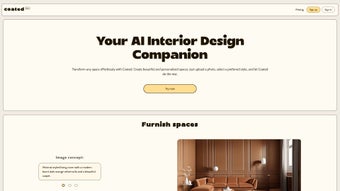

Download Coated – AI‑Powered Interior Design Tool for Home & Office
Overview
Coated is an AI‑driven interior design software that takes the guesswork out of decorating any space. Whether you’re a first‑time homeowner, a seasoned decorator, or a professional designer working on commercial projects, Coated delivers personalized, professional‑grade concepts at the click of a button. The platform’s core engine analyses user‑provided specifications—such as room dimensions, style preferences, budget limits, and even lighting conditions—to generate realistic 3D visualisations in real‑time.
This instant feedback loop allows users to experiment with furniture placement, color palettes, texture mixes, and décor accents without lifting a single physical sample. Beyond visualisation, Coated automatically creates a curated shopping list that includes product details, price points, and direct links to trusted retailers, making the transition from design to execution seamless. The tool supports a broad spectrum of design styles, ranging from sleek modern minimalism to cozy traditional aesthetics, and it continuously learns from user interactions to improve its recommendations.
Coated is offered as a subscription service with a free beta version that lets early adopters explore the core features before committing to a paid plan. Its intuitive interface, combined with a powerful AI engine, positions Coated as a compelling solution for anyone looking to create unique, personalized interiors quickly, securely, and affordably.
What truly differentiates Coated from generic mood‑board apps is its ability to translate abstract style cues into concrete, purchasable layouts. The AI not only suggests objects but also calculates spatial relationships, ensuring that each piece fits ergonomically and aesthetically. Users report that the learning curve is minimal: after a brief onboarding tutorial, most can launch a full‑scale project within minutes.
The platform also respects privacy; all user data is encrypted, and no personal information is sold to third parties. In practice, this means you can confidently upload floor plans of client properties without worrying about data leakage. Whether you’re redesigning a single bedroom or orchestrating a multi‑room office overhaul, Coated scales effortlessly, making it a versatile ally for both hobbyists and design firms.
Core Features that Set Coated Apart
- AI‑Generated Design Concepts: Input room dimensions, style cues, and budget; the AI instantly produces multiple design options.
- Real‑Time 3D Visualisation: Walk through your space in a fully rendered 3D environment, adjusting elements on the fly.
- Smart Furniture Placement: Algorithmic suggestions for optimal layout based on traffic flow, ergonomics, and visual balance.
- Dynamic Color & Material Matching: The engine suggests complementary palettes and material finishes that adhere to the chosen style.
- Integrated Shopping List: Every item in the design is linked to product details, pricing, and purchase links, simplifying the buying process.
- Style Library: Access a curated library of design styles—modern, industrial, Scandinavian, traditional, and more.
- Collaboration Tools: Share designs with clients or teammates, collect feedback, and iterate directly within the platform.
- Cross‑Platform Sync: Work on Windows, macOS, Android, or iOS devices and keep your projects synced in the cloud.
- Regular Updates & Community Beta: Early adopters receive frequent updates, and user feedback directly shapes new features.
- Secure Cloud Storage: All projects are encrypted and stored securely, ensuring privacy and data integrity.
Why These Features Matter
The combination of AI‑driven suggestions and real‑time 3D rendering dramatically reduces the time required to move from concept to final design. Traditional interior design workflows often involve multiple software tools—floor‑plan apps, mood‑board creators, and separate e‑commerce platforms. Coated consolidates these steps into a single, cohesive environment, eliminating the need for data export/import and reducing the chance of errors.
Moreover, the integrated shopping list not only saves users hours of product research but also ensures that every recommendation is available for purchase, which is a huge advantage for professional designers who need to present clients with actionable solutions. The collaboration module adds another layer of value, especially for remote teams or freelance designers who must share concepts with clients across the globe. Finally, the platform’s commitment to regular updates and a community‑driven beta program means that Coated evolves with industry trends, keeping users ahead of the curve.
Another often‑overlooked benefit is the AI’s ability to respect sustainability preferences. Users can toggle eco‑friendly filters, prompting the engine to prioritize recycled materials, low‑VOC paints, and energy‑efficient lighting fixtures. This aligns Coated with growing market demand for green interiors and gives designers a tangible way to meet certification standards such as LEED or WELL. In addition, the style library is continuously expanded through partnerships with leading furniture brands, meaning new collections appear in the tool without any manual uploads. All of these nuances combine to make Coated not just a design aid, but a strategic partner in delivering modern, responsible, and market‑ready interiors.
Installation, Usage Instructions & Compatibility
Getting started with Coated is straightforward. The software is available as a downloadable installer for Windows 10/11 and macOS 12+ as well as native apps for Android 8.0+ and iOS 13+. Follow these steps to install and begin designing:
- Download the Installer: Visit the official Coated website and click the “Download for Windows” or “Download for Mac” button. Mobile users can find the app in Google Play Store or Apple App Store.
- Run the Installer: On Windows, double‑click the .exe file and follow the on‑screen prompts. macOS users will drag the Coated icon into the Applications folder.
- Create an Account: Launch the application and sign up using an email address or social login (Google, Apple). Verification is required for security.
- Start a New Project: Click “New Design,” enter the room dimensions, upload a floor‑plan image if available, and select your preferred design style.
- Interact with the AI: The engine will present three initial concepts. Use the “Refine” button to adjust parameters such as color intensity, furniture budget, or lighting preferences.
- Explore 3D Mode: Switch to the 3D view to walk through the space. Drag, rotate, or replace items directly in the scene.
- Generate a Shopping List: Once satisfied, click “Export List.” Coated will compile a CSV and a clickable web view of all recommended products.
- Save & Sync: Projects are saved automatically to the cloud, enabling access from any device logged into your account.
Supported Operating Systems: Windows 10/11 (64‑bit), macOS 12 Monterey and later, Android 8.0 Oreo and newer, iOS 13 and newer. Minimum hardware requirements include 4 GB RAM, 500 MB of free disk space, and a graphics card supporting OpenGL 3.3 or higher for optimal 3D performance.
Tips for a Smooth Experience
For the best performance, ensure your graphics drivers are up to date and run the application on a device with at least a dual‑core processor. The cloud sync feature works best over a stable Wi‑Fi connection; if you anticipate working offline, enable “Local Cache” in the settings before you lose connectivity. Coated also supports import of existing CAD or SketchUp files, allowing designers to bring legacy projects into the AI workflow without starting from scratch. If you encounter any issues, the built‑in help centre offers step‑by‑step tutorials, and live chat support is available 24/7 for premium subscribers.
Power users can take advantage of keyboard shortcuts for rapid adjustments—press “R” to rotate an object, “S” to scale, and “D” to duplicate items instantly. Additionally, the app includes a “Batch Export” feature that lets you output multiple room renders in one click, which is especially handy when preparing client presentations. These productivity enhancements, combined with Coated’s low‑latency rendering engine, ensure that even complex multi‑room projects remain fluid and responsive.
Pros, Cons & Expert Review
Pros
- Instant AI‑generated concepts save hours of manual brainstorming.
- Real‑time 3D visualization provides a true sense of scale and ambience.
- Integrated shopping list bridges the gap between design and purchase.
- Cross‑platform support ensures flexibility for designers on any device.
- Secure cloud storage and regular updates keep data safe and software current.
- Eco‑friendly filters let users prioritize sustainable materials.
- Extensive style library is continuously refreshed with new brand collections.
Cons
- Subscription pricing may be a barrier for hobbyists on a tight budget.
- AI suggestions sometimes favor popular trends, limiting ultra‑niche aesthetics.
- High‑resolution 3D rendering can be demanding on older hardware.
- Beta version may still have minor bugs in the mobile app interface.
- Advanced features such as API access are locked behind higher‑tier plans.
As a freelance interior designer, I’ve tried numerous layout tools, and Coated stands out for its speed and depth of AI recommendations. The ability to walk through a fully furnished room in 3D before buying any item has eliminated costly client revisions. While the subscription cost is higher than basic mood‑board apps, the time saved and the professional polish of the output justify the expense. I recommend Coated for anyone serious about delivering polished designs quickly.
Frequently Asked Questions
Is there a free version of Coated?
Coated offers a beta version that is free to use for a limited time. The beta provides access to core design and visualization features, but advanced tools like the integrated shopping list and premium style packs are reserved for paid subscribers.
Can I import my own floor plans?
Yes. Coated supports importing JPEG, PNG, PDF, and DWG files. Once uploaded, the AI can automatically detect room boundaries and suggest furniture layouts based on the exact dimensions of your plan.
How secure is my design data?
All projects are encrypted with AES‑256 encryption while stored in the cloud. Coated follows GDPR and CCPA guidelines, ensuring that your personal information and design data remain private.
What subscription plans are available?
Coated offers three tiers: Basic ($9.99/month) includes unlimited projects and basic AI suggestions; Pro ($19.99/month) adds premium style packs, advanced rendering, and priority support; Enterprise (custom pricing) provides team collaboration, API access, and dedicated account management.
Can I use Coated on a tablet for on‑site measurements?
Absolutely. The Android and iOS apps let you capture room dimensions with the device’s camera and AR tools, instantly feeding the data into the AI engine for on‑the‑spot design suggestions.
Conclusion – Transform Your Space with Coated Today
Coated bridges the gap between imagination and execution by marrying AI intelligence with intuitive 3D visualisation. Its comprehensive feature set—from smart layout recommendations to an auto‑generated shopping list—makes it a powerhouse for both hobbyists and seasoned professionals. While the subscription cost reflects its premium capabilities, the time saved, the reduction in costly revisions, and the confidence of presenting fully realised, purchasable designs provide a strong ROI. If you’re ready to accelerate your interior design workflow, streamline client approvals, and bring your visions to life with a single, secure platform, download Coated now and start your free beta trial. Your next beautiful space is just a click away.



.png)



